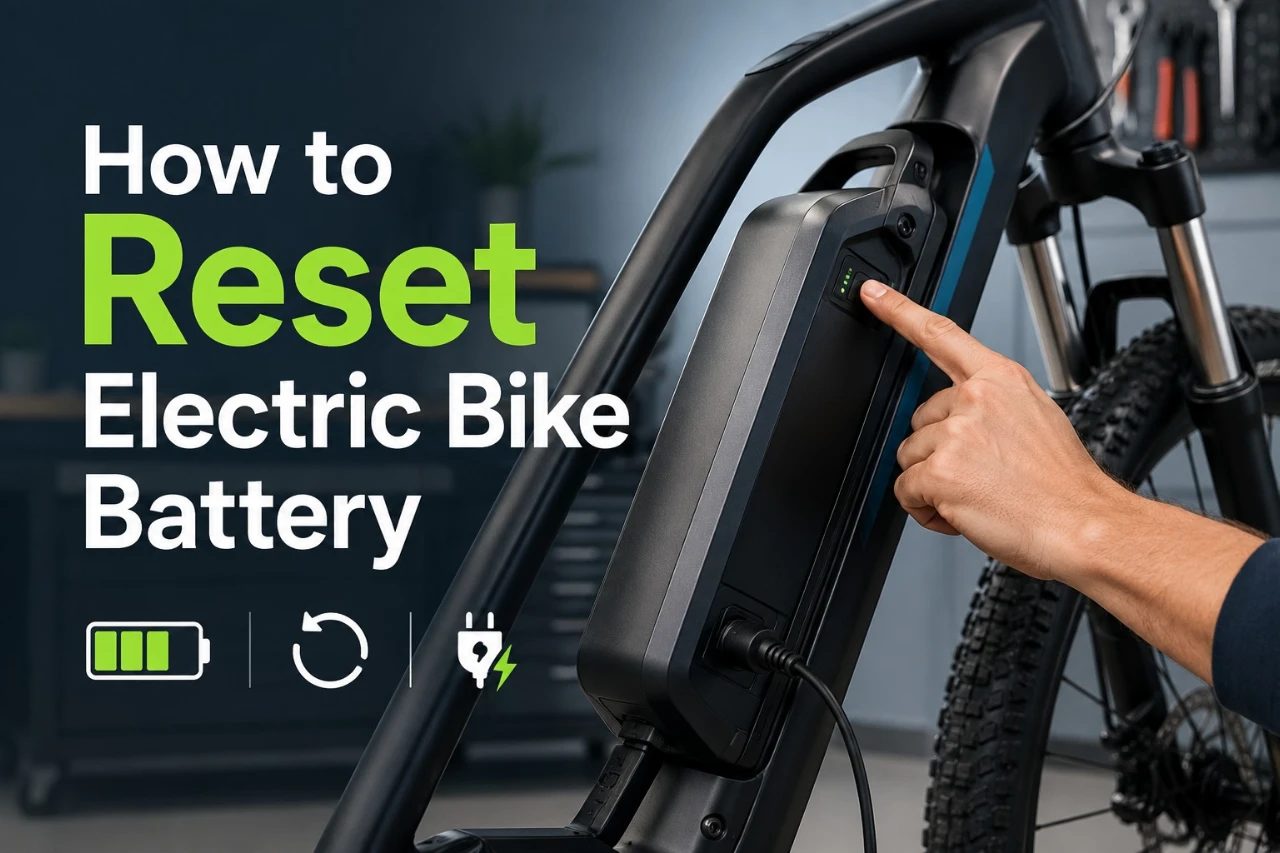
Your e-bike battery will not turn on. The charger light is blinking when it should not be, or the display stays dark no matter what you try. Before you assume the battery is dead, it is worth knowing that some of these problems can be fixed with a simple reset or a few targeted checks.
A reset will not fix every battery problem, but starting with safety checks and the right sequence of steps can save you time, money, and a trip to the repair shop.
The term “reset” means different things depending on what is wrong. Sometimes you just need a basic power cycle. Other times the battery’s internal protection system has tripped, a fuse has blown, or the real problem is the display or controller rather than the battery itself. Knowing which situation you are in makes all the difference.
Reset steps also vary by brand and battery design. Always check your owner’s manual before trying any model-specific procedure. Manufacturers like Rad Power Bikes, Lectric eBikes, and Trek each publish their own troubleshooting guidance for a reason.
Key Takeaways
- A reset can help with minor electronic glitches and BMS lockouts, but it cannot fix a physically damaged or failed battery.
- Start with safety checks before touching any connections or buttons.
- If the battery is swollen, hot, leaking, or water-damaged, stop immediately and contact your manufacturer.
What A Battery Reset Actually Does
The word “reset” gets used loosely when it comes to e-bike batteries. It can refer to anything from turning the bike off and back on to triggering a specific Battery Management System (BMS) reset procedure. These are not the same thing, and mixing them up can lead to wasted time or, in a worst case, an unsafe situation.
What The Battery Management System Does
The Battery Management System, or BMS, is a small circuit board inside your battery pack. It monitors voltage, temperature, current flow, and the state of individual cells. When the BMS detects a reading outside of safe limits, it shuts down power to protect the cells from damage.
This is a safety feature, not a malfunction. The BMS can trip due to deep discharge, overheating, a short circuit, or a voltage imbalance between cells. When it trips, the battery may appear completely dead even if the cells still hold a charge.
Resetting the BMS tells it to check conditions again and, if things look safe, restore normal function. It does not repair damaged cells or fix underlying hardware problems.
Power Cycle Vs BMS Reset Vs Charger Wake-Up
These three terms describe different actions with different results.
| Method | What It Does | When It Applies |
|---|---|---|
| Power cycle | Turns the bike off and back on | Minor glitches, frozen display, erratic assist |
| BMS reset | Clears a protection lockout in the battery | Battery appears dead after deep discharge or overtemp event |
| Charger wake-up | Uses the charger to nudge a sleeping battery back to a detectable voltage | Battery too depleted to accept a charge normally |
A power cycle is the mildest option. A BMS reset goes deeper. A charger wake-up is a specific recovery method for batteries that have dropped below the threshold where the BMS will allow charging to start.
When The Problem Is Really The Display Or Controller
Not every dark screen or unresponsive bike means the battery has failed. The display and controller are separate components. A firmware bug, a loose connector, or a tripped controller can make a perfectly functional battery look dead.
If your battery shows charge on its own indicator lights but the bike still will not power on, the display or controller is worth checking before you treat this as a battery problem. Specialized’s Turbo display reset guidance is one example of how a display-level reset is a separate procedure from any battery-level action.
Signs A Reset May Help
A reset is most useful when the problem is a software-level lockout or a minor calibration error rather than a physical failure. Recognizing the difference early saves you from chasing the wrong fix.
Battery Not Charging Or Charging Irregularly
If you plug in your charger and nothing happens, or the charger light stays green immediately without cycling through the normal charge sequence, the battery may have dropped into a protection state. This can happen after a very deep discharge or after sitting unused for an extended period.
Other charging signs worth noting:
- Charger light blinks when it should stay solid
- Battery charges to a lower percentage than usual and stops
- Charging starts normally but cuts off early
These symptoms do not confirm that a reset will fix the problem, but they suggest the BMS may have tripped and is worth investigating before assuming a hardware failure.
Sudden Power Cuts And Reduced Assist, Error Codes, Wrong Battery Percentage, And Reduced Range
A broader range of symptoms can also point toward a BMS issue or calibration drift.
| Symptom | Possible Cause | Reset May Help? |
|---|---|---|
| Bike cuts off suddenly at mid-charge | BMS overcurrent or temperature trip | Yes, worth trying |
| Battery percentage drops sharply then recovers | Cell voltage imbalance or BMS calibration drift | Possibly, after a recalibration cycle |
| Motor assist weaker than normal for the charge level shown | BMS reporting inaccurate state of charge | Full discharge and recharge may recalibrate |
| Error code on display | BMS fault, controller fault, or sensor issue | Depends on the code |
| Battery appears fully charged but bike won’t turn on | BMS lockout or display/controller fault | Yes, check both battery and display |
Error codes are important. Write down the exact code before clearing it. Your owner’s manual or manufacturer support page will tell you what the code means, which helps narrow down whether the issue is the battery, the motor, or the controller.
Warning: If your battery is getting unusually hot, swelling, or emitting a chemical smell at any point during charging or use, stop immediately. Do not attempt a reset. These are signs of cell damage that no reset procedure will fix, and continuing to charge or use the battery creates a fire risk.
Safety Checks Before You Try Anything
Rushing into a reset without checking the basics can lead to wasted steps or an unsafe situation. A few quick checks take only minutes and can point you toward the real problem faster.
When Not To Reset A Battery
Some battery conditions require you to stop and contact your manufacturer or a qualified technician rather than attempt any reset.
Do not attempt a reset if your battery shows any of the following:
- Visible swelling or bulging of the pack
- Burn marks, melted plastic, or a chemical smell
- Signs of water damage or corrosion on terminals
- Physical cracks in the casing
- Excessive heat that does not go away after the bike has been off for an hour
As noted in Lectric eBikes’ battery safety guide, lithium-ion batteries that show physical damage should not be charged or used. Do not open the battery case, bypass the BMS, or attempt to force-charge a damaged pack.
Confirm The Correct Charger And Bike Setup
Using the wrong charger is one of the most common causes of charging problems that look like a battery fault. Check that you are using the charger that came with the bike or a replacement confirmed as compatible by the manufacturer.
Before going further, verify:
- The charger output voltage matches the battery voltage (check the label on both)
- The charging port on the bike is clean and dry
- The charger cable shows no cuts, kinks, or exposed wiring
- The wall outlet is live (test it with another device)
A charger that outputs the wrong voltage can prevent the BMS from accepting a charge without there being anything wrong with the battery itself.
Inspect Contacts, Fuse, And Visible Connections
Dirty or corroded battery contacts are a surprisingly common cause of power and charging problems. Before assuming a software or BMS issue, remove the battery from the frame and look at the metal contacts on both the battery and the frame mount.
Check for:
- Corrosion or oxidation on the contact pins
- Debris or moisture in the charging port
- A blown main fuse (many e-bikes have an inline fuse on the battery cable or frame)
Clean dirty contacts gently with a dry cloth or a cotton swab. Do not use water or spray lubricants on electrical contacts. If you find a blown fuse, replace it with the exact rating specified in your manual before trying anything else.
Quick Reset Methods To Try First
Start with the simplest methods. These carry no risk and fix a surprisingly large number of battery issues that look more serious than they are.
Basic Power-Off And Restart Sequence
This is the equivalent of rebooting a computer. It clears minor software glitches and resets the communication link between the battery, controller, and display.
- Turn off the bike using the display or main power button.
- Wait at least 30 seconds. Do not skip the wait; some systems need time to fully discharge residual power from the circuits.
- If the battery has a separate on/off switch on the pack itself, turn that off as well.
- Turn the battery pack back on first.
- Then power on the display or main system button.
- Check whether the display shows normal readings and the assist responds.
If the bike powers on normally, take note of whether the problem returns. A glitch that clears once and does not come back is usually minor.
Removing And Reinstalling The Battery
A loose or slightly misaligned battery can cause intermittent power loss, charging failure, or error codes. Removing and reinstalling the battery resets the physical connection and clears any contact issue that a power cycle alone would not address.
- Turn off the bike completely.
- Remove the battery from the frame using the key lock if your model uses one.
- Inspect the battery contacts and the frame mount contacts visually.
- Wipe both contact areas with a dry cloth.
- Wait 60 seconds before reinstalling.
- Seat the battery firmly until you feel or hear it click into place.
- Power on and check for normal behavior.
Note: Some battery locks are stiff on newer bikes. If the battery does not seat properly, do not force it. Misaligned contacts can cause arcing. Refer to your owner’s manual for proper installation guidance.
Holding The Battery Power Or Reset Button
Some battery packs include a dedicated power button or a small recessed reset button on the pack itself. Not every brand or model has this. Check your owner’s manual to confirm whether your battery has one before looking for it.
If your battery has a power button on the pack:
- Turn the bike off completely.
- Press and hold the battery pack’s power button for 10 seconds.
- Release and wait 15 seconds.
- Press the button once to power the battery back on.
- Then power on the bike normally.
If your battery has a recessed reset button (a small pinhole):
- Turn the bike off.
- Use a straightened paperclip or a small pin to press and hold the button for 5 to 10 seconds.
- Release and wait 30 seconds before powering on.
The exact hold time varies by brand. When in doubt, check your owner’s manual or the manufacturer’s support page for the specific procedure.
Recovery Steps For Charging And Wake-Up Problems
When the battery is so depleted that the BMS will not allow normal charging to begin, standard reset steps may not be enough. These methods address the specific case of a deeply discharged or sleeping battery.
Charger Wake-Up For A Sleeping Battery
Lithium-ion batteries have a low-voltage cutoff built into the BMS. If the battery drops below this threshold (often around 2.5 to 3V per cell), the BMS locks out charging to prevent damage to the cells. From the outside, the battery appears completely dead.
The charger wake-up method works by introducing a charge signal that nudges the battery back above the cutoff threshold:
- Connect your charger to the battery without turning the bike on.
- Leave it connected for 15 to 30 minutes even if the charger light shows no activity.
- Some BMS designs will detect the charge input and begin accepting current slowly before the indicator shows progress.
- After 30 minutes, check whether the charger light has changed state.
- If charging appears to have started, leave it to complete a full charge before testing the bike.
This method only works if the cells are not physically damaged. If 30 minutes of charger connection shows no change at all, the battery has likely dropped too far for a self-recovery or there is a deeper issue.
Warning: Do not leave a deeply discharged battery on the charger unattended for extended periods if it is showing no response. If the battery does not begin accepting a charge within an hour, disconnect and contact your manufacturer.
Full Discharge And Recharge Recalibration
If your battery percentage readings are inaccurate (jumping around, showing full when the bike cuts out early, or reporting a lower charge than expected), a full discharge and recharge cycle can help the BMS recalibrate its state-of-charge estimate.
- Ride the bike until the battery level is as low as possible, ideally until the bike enters low-battery mode. Do not store it fully discharged.
- Plug in your charger immediately after the ride.
- Let the battery charge to 100 percent without interruption.
- Do not unplug early during this calibration cycle.
This is not a fix for a failing battery, but it can correct percentage drift that makes the bike feel less predictable. As Trek’s e-bike maintenance guidance notes, consistent charging habits help keep battery readings more accurate over time.
What To Watch For During The First Test Ride
After any reset or recalibration, your first test ride tells you a lot. Pay attention to:
- Whether the assist level feels consistent with the charge shown
- Any sudden cutoffs or drops in power
- Display readings that behave erratically (jumping percentages or error codes reappearing)
- Unusual heat from the battery area during or after the ride
A battery that behaves normally after a reset and continues to do so over several rides is a good sign. A battery that trips the same fault repeatedly within a few rides likely has an underlying issue a reset cannot address.
Troubleshooting Beyond The Battery Pack
If none of the battery-level reset steps resolve the problem, the fault may not be in the battery at all. The charging port, fuse, charger, display, and controller are all worth checking before concluding the battery has failed.
Checking The Charging Port, Fuse, And Charger Output
A damaged charging port or a blown fuse can completely block charging without any fault in the battery itself. These are common and often overlooked.
Charging port check:
- Inspect the port for bent pins, debris, or moisture
- Gently clean the port with compressed air (do not use liquids)
- Plug in the charger and wiggle it very slightly; if the charger light responds to movement, the port connection is likely damaged
Fuse check:
- Locate the main fuse (check your manual for the location, often on the battery cable or near the controller)
- Remove and visually inspect it; a blown fuse will show a broken filament
- Replace only with the exact amperage rating specified in your manual
Charger output check:
- If you have a multimeter, check the charger output voltage at the plug tip
- Compare the reading to the rated output printed on the charger label
- A charger outputting significantly below rated voltage needs replacement
Resetting The Display Or Controller
The display and controller communicate with the battery, and a fault in either can make the bike appear dead even when the battery is fine. Some brands allow a display or controller reset that is separate from anything you do at the battery.
Common display reset methods vary widely by brand. For example, SRAM’s Eagle Powertrain documentation notes that the bike will not power on with the charger attached even at full charge; unplugging the charger and pressing the display power button is the correct sequence. Specialized publishes a separate display reset procedure for Turbo bikes.
Check your owner’s manual for the correct button combination or sequence for your specific model.
Using Manual Guidance, Error Screens, And Service Diagnostics
Error codes on the display are specific to your brand and model. A code that means “overtemperature” on one bike may mean something completely different on another. Do not guess at error code meanings.
Steps to take:
- Write down the exact error code displayed.
- Look up the code in your owner’s manual or the manufacturer’s support pages. Brands like Lectric eBikes and Rad Power Bikes publish error code tables in their troubleshooting sections.
- If the code indicates a motor, sensor, or controller fault, the fix is outside the scope of a battery reset.
- Some brands offer service diagnostic tools that connect to the bike and read fault logs. These are typically used by dealers or qualified technicians. If your bike is still under warranty, a dealer diagnostic is the right next step rather than continued DIY troubleshooting.
Warning: If your bike requires a firmware update to resolve a recurring error, do not attempt to perform the update yourself unless the manufacturer’s documentation explicitly supports owner-performed updates. An interrupted firmware update can brick the controller.
If The Reset Does Not Work
If you have worked through every reset method and the battery still does not charge, power the bike, or hold a charge reliably, a reset is not the answer. At this point, the problem is likely physical rather than a software or communication issue.
Likely Causes A Reset Will Not Fix
Some battery problems are beyond what any reset procedure can address:
| Condition | Why A Reset Won’t Help |
|---|---|
| Dead or degraded cells | Cell capacity loss is permanent; a reset cannot restore cell chemistry |
| Failed BMS hardware | If the BMS circuit board itself has failed, it cannot execute a reset |
| Broken charging port | A physical port repair is needed before charging can resume |
| Shorted or open cell | An internal short or open circuit requires professional diagnosis |
| Corroded or damaged contacts | Physical repair or replacement is needed |
| Water-damaged internals | Corrosion inside the pack cannot be cleared by a reset |
A battery that holds significantly less range than it did when new is also likely experiencing normal cell aging, not a BMS lockout. Range loss from cell degradation is gradual and permanent, not something a reset addresses.
When To Contact The Manufacturer
Contact your manufacturer’s support team when:
- You have completed all reset steps and the problem persists
- An error code appears that your manual does not explain
- The bike is still under warranty (DIY repair attempts can void coverage)
- The fault appears to be in the controller, motor sensor, or firmware
- You are unsure whether the battery is safe to continue using
Manufacturers like Rad Power Bikes, Lectric eBikes, and Trek all maintain support pages with contact options and live troubleshooting resources. Using them early can save time and protect your warranty.
Warning: Do not attempt to open the battery case, bypass fuses with wire, short the battery terminals to “wake them up,” or connect the battery to a charger not designed for your chemistry. These actions are dangerous and can cause fires, electric shock, or permanent battery damage.
When Battery Replacement Is The Safer Option
Battery replacement becomes the practical answer when:
- The battery is more than 3 to 5 years old and range has dropped significantly
- The pack has been exposed to water and shows signs of internal corrosion
- Any cell swelling is present
- The BMS repeatedly trips under normal conditions even after recalibration
Replacement batteries should be sourced from the original manufacturer when possible, or from suppliers who can confirm compatibility with your specific bike and voltage. Using a battery not designed for your system creates safety and performance risks. As UL Solutions notes, checking for safety certifications on replacement battery packs is a meaningful step toward reducing risk.
Battery Care To Reduce Future Lockouts
Most BMS trips and battery lockouts are preventable. The habits that protect your battery from future problems are the same ones that extend its usable life.
Charging Habits That Help Prevent BMS Issues
The way you charge your battery has a direct effect on how often the BMS needs to intervene to protect the cells.
Habits that help:
- Do not store the battery fully discharged. A deeply depleted lithium-ion battery left sitting will drop below the BMS low-voltage threshold over time, making the next charge difficult or impossible.
- Avoid leaving the battery on the charger for days at a time. Most modern BMS designs stop charging at 100 percent, but consistent overcharging pressure can stress cells over time.
- Charge at room temperature. Charging a very cold or very hot battery pushes the BMS harder and stresses the cells. Bring the bike inside before charging after cold rides.
- Use the correct charger. Using a charger with the wrong output voltage is one of the fastest ways to cause a BMS fault.
Storage Practices And Long Inactivity Tips
Long periods of inactivity are a common trigger for deep-discharge lockouts. If you are not riding for several weeks or months:
- Charge the battery to 50 to 60 percent before storage. This is a more stable state for lithium-ion cells than full charge or empty.
- Store the battery in a cool, dry location away from direct sunlight. Room temperature or slightly below is better than a hot garage.
- Check the charge level every 4 to 6 weeks during storage and top it off to 50 to 60 percent if it has dropped noticeably.
- Remove the battery from the bike if storing for the season to avoid parasitic drain from the controller.
As the Rad Power Bikes spring maintenance guide notes, inspecting the battery and mount for corrosion or leakage before the first charge after storage is a simple but important step.
Simple E-Bike Battery Maintenance Habits
A few routine habits go a long way toward keeping the BMS from tripping unexpectedly:
- Keep contacts clean. Wipe the battery contacts and frame mount with a dry cloth every month or after wet rides.
- Inspect the charging port regularly. Debris or moisture in the port is a common and preventable cause of charging problems.
- Do not ignore small error codes. An occasional minor error code that clears on its own can be a warning sign of a cell starting to drift. Track whether it returns.
- Follow the manufacturer’s maintenance schedule. Brands like Lectric eBikes publish care guides that cover battery-specific maintenance alongside general bike service.
At GoEBikeLife, coverage of battery maintenance, range expectations, and long-term ownership factors runs through most buying guides and reviews. If you want to compare how different bikes handle battery care from an ownership standpoint, the buyer’s guides on commuter and folding e-bikes are worth a read.
Frequently Asked Questions
How can I reset an e-bike battery if there is no reset button?
If your battery does not have a visible reset button, start with a full power cycle: turn off the bike, remove the battery, wait 60 seconds, and reinstall it before powering on again.
For a deeper reset, try leaving the charger connected for 30 minutes to attempt a charger wake-up if the battery appears fully depleted.
Check your owner’s manual for any model-specific button combinations on the display that trigger a system reset.
Where is the battery reset button located on Giant e-bike batteries?
Giant e-bikes vary by model, and not all of them include an accessible external reset button on the battery pack.
Some Giant models use a small recessed button on the underside or end of the battery; others rely on the display for system resets.
Check the owner’s manual for your specific model or visit Giant’s support page for model-specific guidance, as the procedure differs across their EnergyPak battery lineup.
What should I check if my e-bike battery shows fully charged but the bike won’t power on?
When the battery indicator shows full but the bike will not turn on, the problem is often in the display, controller, or the connection between them rather than the battery itself.
Check that the battery is fully seated and locked in its mount, inspect the main fuse, and try a display-level reset using the button sequence in your owner’s manual.
If the bike still will not power on, contact your manufacturer’s support team.
How do I perform a BMS reset on a 48V lithium e-bike battery?
There is no universal BMS reset procedure that applies to all 48V e-bike batteries.
Some packs have a recessed reset button; others reset by holding the battery power button for 10 seconds; others require the charger to be connected in a specific sequence.
The correct method depends on your battery brand and design, so check your owner’s manual or the manufacturer’s support documentation before attempting anything.
Attempting a BMS reset using methods not specified for your battery can sometimes deepen the lockout.
What can cause an e-bike battery not to charge when the charger light stays green?
A charger light that stays green immediately without cycling through a charge sequence usually means the charger senses no load or senses a completed charge.
This can happen if the battery is already at full charge, if the battery has dropped so far below the BMS threshold that it is not communicating with the charger, or if the charging port or contact pins have a connection problem.
Try cleaning the charging port and contacts, then reconnect the charger. If the light stays green and the battery does not show any charge after 30 minutes, the battery may need manufacturer service.
What are the safest steps to try to revive an e-bike battery that appears dead?
Start with the safest and least invasive steps first: check the charging port for debris, confirm you are using the correct charger, clean the battery contacts, and try a full power cycle with the battery removed and reinstalled.
If the battery shows no response, try the charger wake-up method by leaving the charger connected for up to 30 minutes to see if the BMS begins accepting current.
If none of these steps produce any change, and especially if the battery shows any physical damage, heat, or swelling, stop and contact your manufacturer rather than continuing DIY attempts.